Payment Integrity
Server-Verified Payments
PayPal capture is verified server-side before the WooCommerce order is marked as paid.

A lightweight WooCommerce Connector backed by a private SaaS Payment Core. Accept eligible PayPal-powered card payments with server-verified capture, durable payment recovery, and duplicate capture protection.
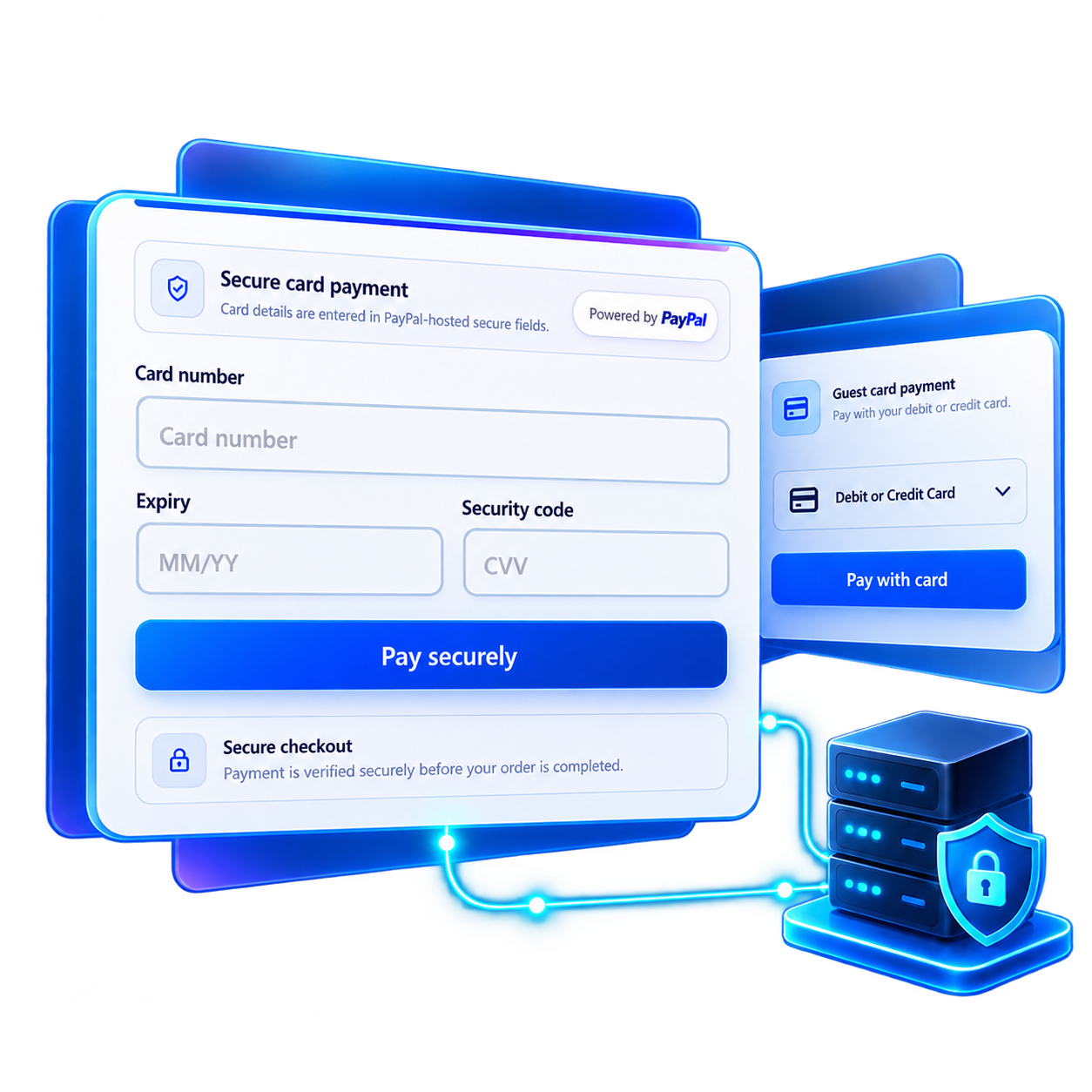
More than a checkout interface. GPCB Pay combines a lightweight WooCommerce Connector with a private, server-controlled Payment Core designed for reliable PayPal-powered card payment processing.
Payment Integrity
PayPal capture is verified server-side before the WooCommerce order is marked as paid.
WooCommerce Integration
A lightweight WooCommerce Connector communicates securely with a private SaaS Payment Core.
Guest Checkout
Support PayPal-powered guest card experiences where permitted by the merchant account and checkout context.
Advanced Checkout
Offer PayPal-hosted Advanced Card Fields to merchants who qualify for this payment capability.
Payment Reliability
Persistent payment state supports recovery and reconciliation when payment outcomes are uncertain.
Capture Protection
Durable state and idempotency controls help prevent repeated PayPal capture operations.
Payment method availability depends on PayPal merchant eligibility and checkout context.
Create your merchant account, connect your WooCommerce store, and configure eligible PayPal card payments through a private, server-controlled payment service.
Merchant Account
Register through the GPCB Pay Merchant Portal, verify your email address, and begin adding your WooCommerce store.
WooCommerce Connection
Install the lightweight WooCommerce Connector, configure your issued Connector credentials, and complete the required store connection and ownership verification steps.
PayPal Configuration
Connect your PayPal Business credentials securely through the Merchant Dashboard. Select a supported card payment experience according to your PayPal account eligibility.
Verified Payments
Once your store and payment access are authorized, the private SaaS coordinates PayPal payment operations. WooCommerce marks orders paid only after verified server-side capture.
GPCB Pay supports Guest Card and Advanced Card integration paths, subject to PayPal merchant eligibility. Both use the same server-controlled payment infrastructure.
PayPal-powered guest checkout
Offer an eligible PayPal-hosted guest card payment experience through your WooCommerce checkout.
Available only where supported by PayPal for the merchant and checkout context.
PayPal-hosted card fields
Provide a dedicated card entry experience for merchants eligible for PayPal Advanced Card Payments.
Requires PayPal Advanced Card eligibility. Availability depends on the merchant account, region, and payment context.
Learn how the WooCommerce Connector, private SaaS Payment Core, eligible PayPal card experiences, and GPCB Pay Pro subscriptions work together.
GPCB Pay is an independent WooCommerce payment integration combining a lightweight store Connector with a private SaaS Payment Core. It coordinates eligible PayPal-powered card payments using server-controlled operations, durable payment records, and verified capture evidence.
No. PayPal remains the payment provider. GPCB Pay connects WooCommerce checkout to eligible PayPal payment experiences and coordinates payment operations through its private SaaS infrastructure. It does not independently provide card processing or override PayPal merchant eligibility.
Guest Card Payments use an eligible PayPal-supported guest card experience. Advanced Card Payments use PayPal-hosted Card Fields for merchants approved for that capability. Both modes depend on PayPal availability, merchant eligibility, and the applicable checkout context.
No. Advanced Card Payments are subject to PayPal merchant eligibility, regional availability, and account capabilities. A successful Sandbox integration does not guarantee Live approval. GPCB Pay cannot enable payment methods that PayPal does not make available to a merchant.
GPCB Pay uses PayPal-provided payment interfaces for supported card-entry experiences. The WooCommerce Connector and private SaaS Payment Core are not designed to receive or store customers' complete card numbers or CVV values. GPCB Pay coordinates payments using trusted order information, payment references, and verified provider responses. PayPal remains the payment provider.
The private SaaS Payment Core coordinates PayPal Order creation and Capture. WooCommerce payment completion requires validated server-side capture evidence rather than relying only on a browser success message. Payment identity, amount, and currency are checked through trusted server-side workflows.
GPCB Pay uses durable payment records, persistent request identifiers, idempotency controls, and payment recovery workflows. These mechanisms help prevent duplicate payment operations and support recovery when a provider response is uncertain. They do not guarantee that every provider or network failure can be prevented.
GPCB Pay depends on its private SaaS Payment Core to coordinate payment operations. If the service is unavailable before payment creation, new payments through GPCB Pay cannot complete normally. If connectivity is lost after a payment operation has been submitted, the outcome may remain uncertain until the original attempt is verified. A timeout does not necessarily mean that PayPal rejected or failed the payment. WooCommerce must not mark an order as paid without trusted, verified capture evidence. Some interrupted attempts may require recovery or support assistance.
Merchant registration and email verification are available through the GPCB Pay Merchant Portal. Store onboarding includes separate connection verification, ownership verification, and activation requirements. Completing registration does not automatically activate a store, start a subscription, or authorize production payment processing. Availability of individual onboarding actions depends on the current SaaS rollout.
GPCB Pay offers one Pro plan with two published billing options: USD $19 per month or USD $190 per year. Both options provide the same Pro capabilities for their respective access periods. Public paid checkout remains unavailable until billing activation.
GPCB Pay provides for a one-time seven-day trial for eligible merchants. Registration alone does not start the trial. Trial activation requires the applicable store activation, Live payment readiness, and separate SaaS trial authorization. Once activated, the trial lasts 168 consecutive hours. Public trial availability remains subject to the SaaS rollout.
No. The current GPCB Pay Pro model uses manual renewal rather than automatic recurring charges. Monthly and yearly payments represent their respective access periods after successful payment verification and subscription activation. Public subscription checkout is not yet enabled.
The WooCommerce Connector remains installed on your website, but access to new payment operations through the private GPCB Pay SaaS requires a valid trial or paid subscription entitlement. When an applicable access period expires without renewal, new payment processing may be unavailable until access is restored. Existing payment records are not automatically treated as failed or successful because a subscription expires. Previously submitted payment attempts must still be evaluated according to their verified payment state and the supported recovery process.
No. GPCB Pay Pro subscription charges are separate from applicable PayPal payment processing fees. PayPal fees, supported payment methods, and merchant eligibility remain subject to PayPal terms and requirements.
Public subscription checkout is pending final billing activation and verification. Merchant registration and store onboarding are separate from paid subscription access. Published prices do not indicate that checkout is enabled, and creating an account does not automatically charge a payment method or grant production payment access.
First review the WooCommerce order status and any available PayPal transaction information. If the payment outcome remains uncertain, contact support@gpcbpay.com with your store domain, WooCommerce Order ID, approximate transaction time, and a description of the issue. Do not manually repeat a capture or mark an order as paid based only on a browser message. Never send card numbers, CVV values, passwords, PayPal Client Secrets, or Connector signing secrets in support messages.
Have questions about GPCB Pay, PayPal merchant eligibility, or WooCommerce payment integration? Get in touch to learn more about our infrastructure and upcoming commercial availability.
Share your question or business inquiry using the contact form below.
GPCB Pay is an independently developed WooCommerce integration service. It is not an official PayPal or WooCommerce product.